PERSONAL PROJECT
Cloudflare R2 Object Storage Redesign
Role
Sole designer, Mar 2026
Team
1 Designer
Skills
User Research, Design System, Prototyping
OVERVIEW
—
Opportunity
R2's core strengths (zero egress fees, S3 compatibility, and deep platform integration) create an opportunity to make the dashboard as strong as the infrastructure behind it.
44,000 users
Source: Cloudflare Q2 2023 Earnings Call (August 2023)
> 13 PB of user data
Source: Cloudflare Q2 2023 Earnings Call (August 2023)
> 3 community-built alternatives
that exist because the official dashboard falls short
The redesign addresses three phases: configuration, management, and monitoring. Internal configuration (connecting Workers and Queues to a bucket) and external configuration (setting up S3 API tokens for non-Cloudflare applications) are separate workflows with different pain points, so I addressed them independently.
EMPATHIZE
—
Why I Redesigned R2?
I started using R2 as additional cloud storage alongside Google Drive for my data. With 10 GB of free storage, it was a no-brainer to have extra space at no cost. But as I used the dashboard, I kept running into friction that felt unnecessary for a product this strong underneath.
That made me curious. If I'm hitting these walls as someone with a simple use case, what does the experience look like for developers building real applications on top of R2? I wanted to understand whether my frustrations were personal or structural, and whether there was a design opportunity worth pursuing for Cloudflare's core audience.
Competitive Analysis
First, I conducted a competitive analysis to understand existing solutions. For this, I analyzed popular platforms such as Amazon S3, Google CS, and Backblaze B2 against Cloudflare's R2.


Some insights include:
R2's dashboard is missing foundational interactions such as one-click bucket deletion, folder downloads, and discoverable API token creation. Their absence is what drives community-built alternatives.
Every competitor offers better analytics and cost visibility than R2. R2's "Class A and Class B Operations" labels with no trends or billing context represent the widest gap in the competitive set.
No competitor surfaces the relationship between storage and compute within the storage dashboard. R2's integration with Workers, Queues, and Workflows makes it uniquely positioned to be the first.
Interviews
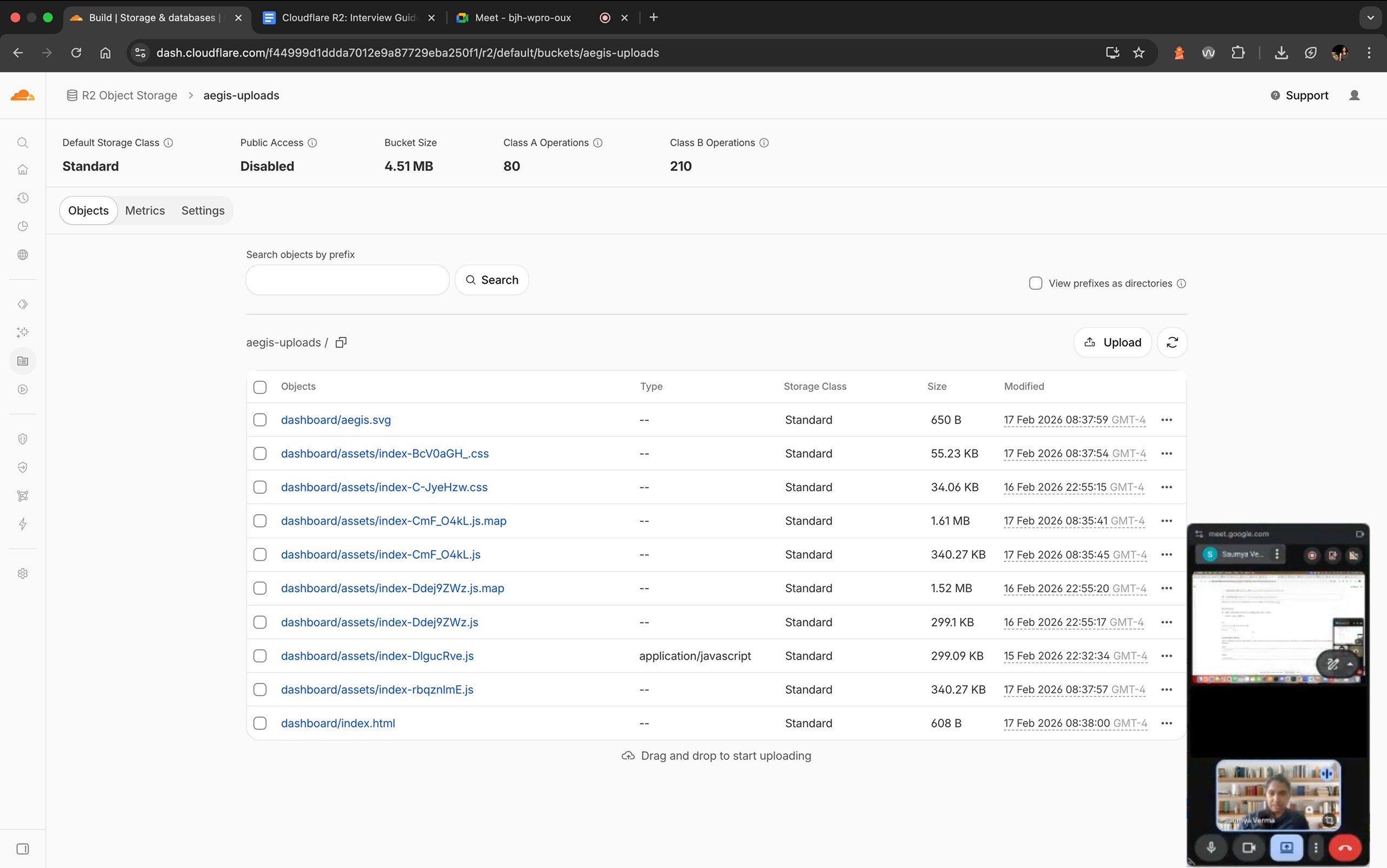
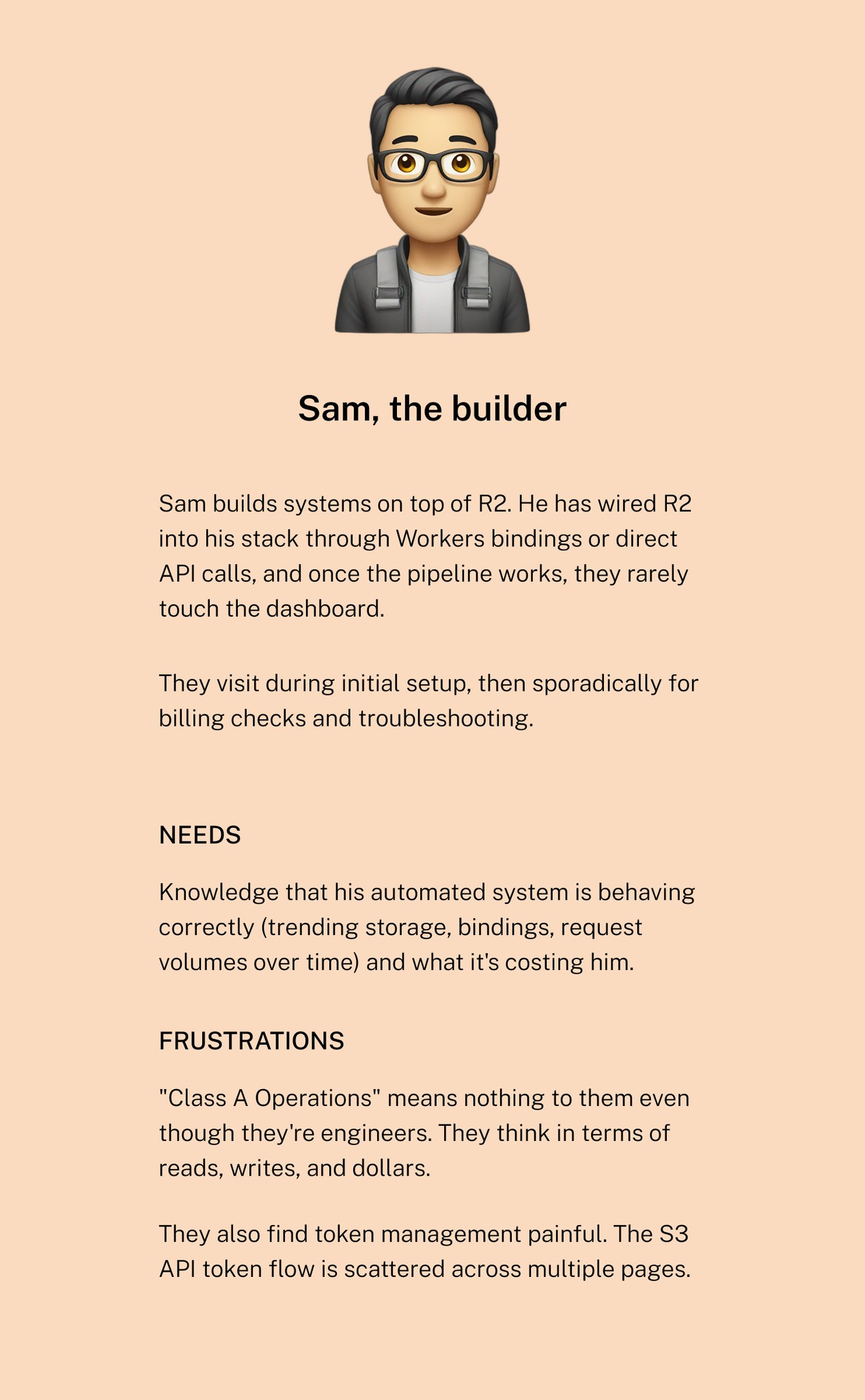
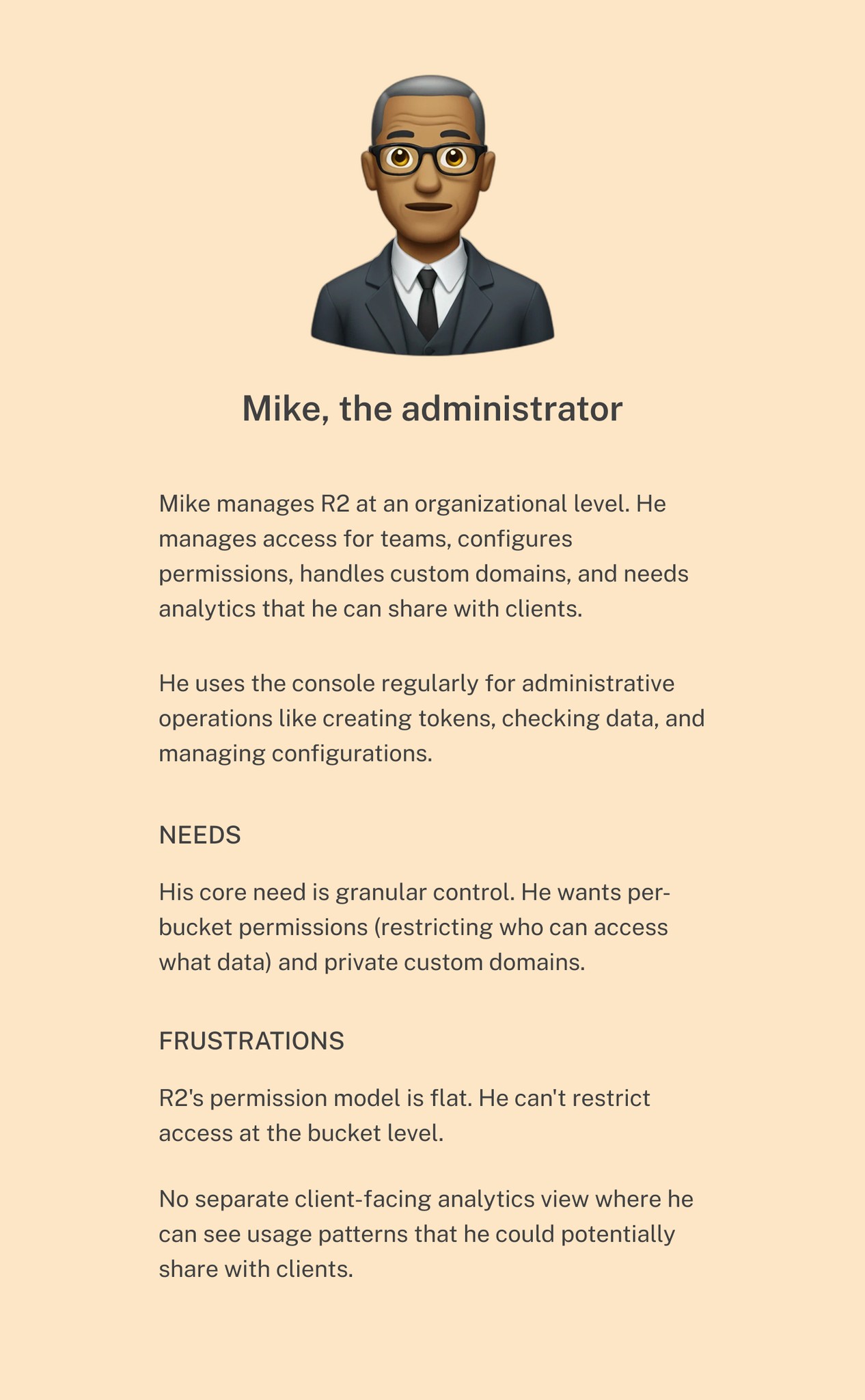
I conducted semi-structured interviews with 4 users to understand their daily workflows, dashboard usage patterns, and friction points.
DEFINE
—
Mapping the Pain Points
Configuration
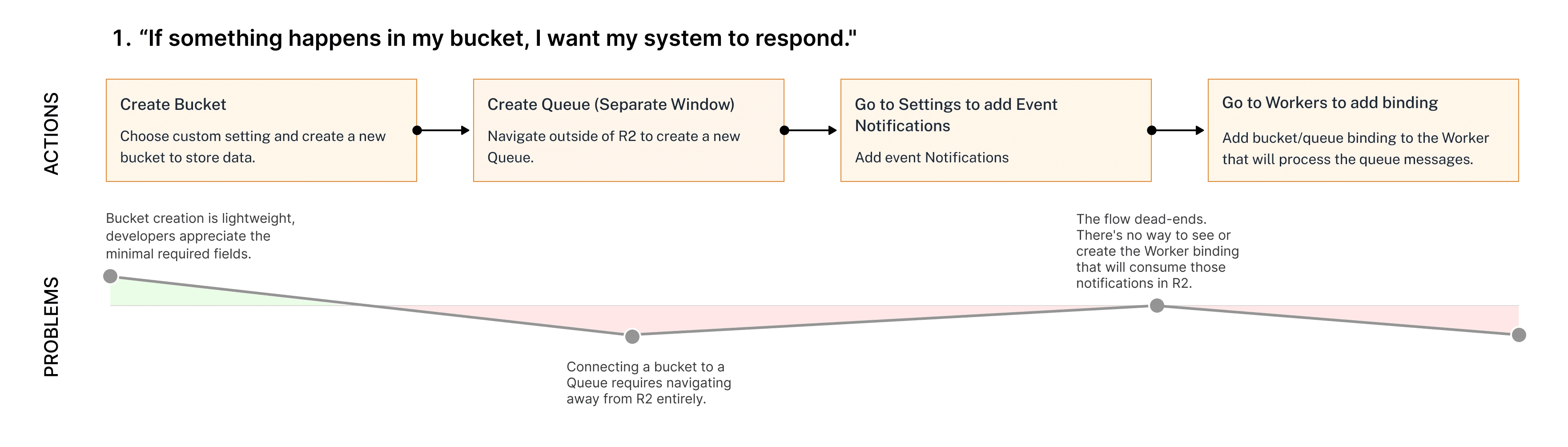
Setting up an event-driven pipeline, where a bucket change triggers a notification to a queue, and a Worker processes it, requires four steps across three separate dashboard sections. The flow demands two full context switches out of R2 to complete what is conceptually a single configuration task, with no way to verify the full pipeline is connected from any one place.
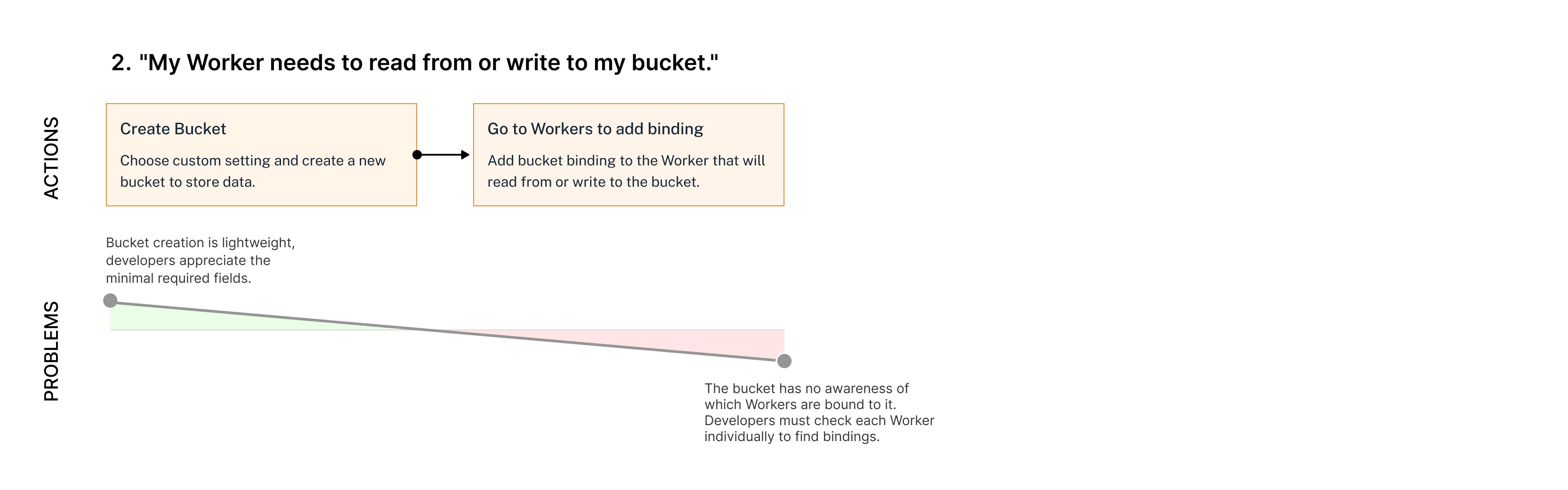
Binding a Worker to a bucket so it can read from or write to it is a shorter flow. The friction here isn't the number of steps, but the lack of reverse visibility. Once the binding is created from the Workers side, the bucket itself has no record of the connection. Developers must check each Worker individually to find which ones are bound to a given bucket.
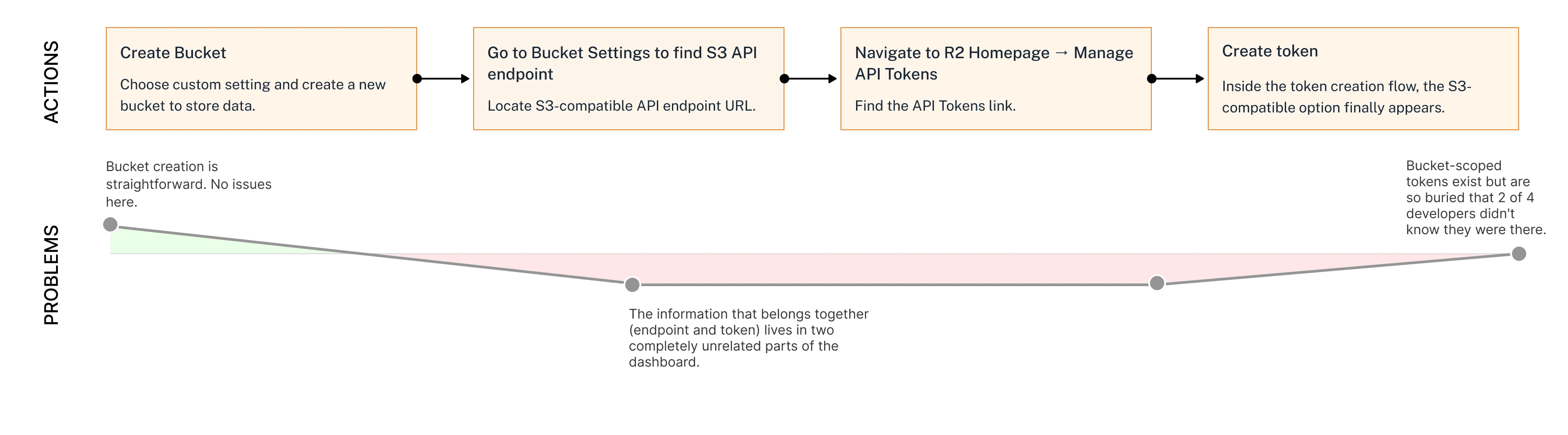
Connecting R2 to a non-Cloudflare application requires two pieces of information: an S3-compatible endpoint and an authentication token. Both exist on separate pages, one on the settings tab of the bucket and the other on the homepage. Once they do reach the token creation flow, a more secure bucket-scoped option exists, but it's buried so deeply that two of four developers had no idea it was there.
Unlike configuration, where friction comes from navigating between disconnected pages, management friction comes from within the bucket itself. Users land in the right place but find basic tools missing.
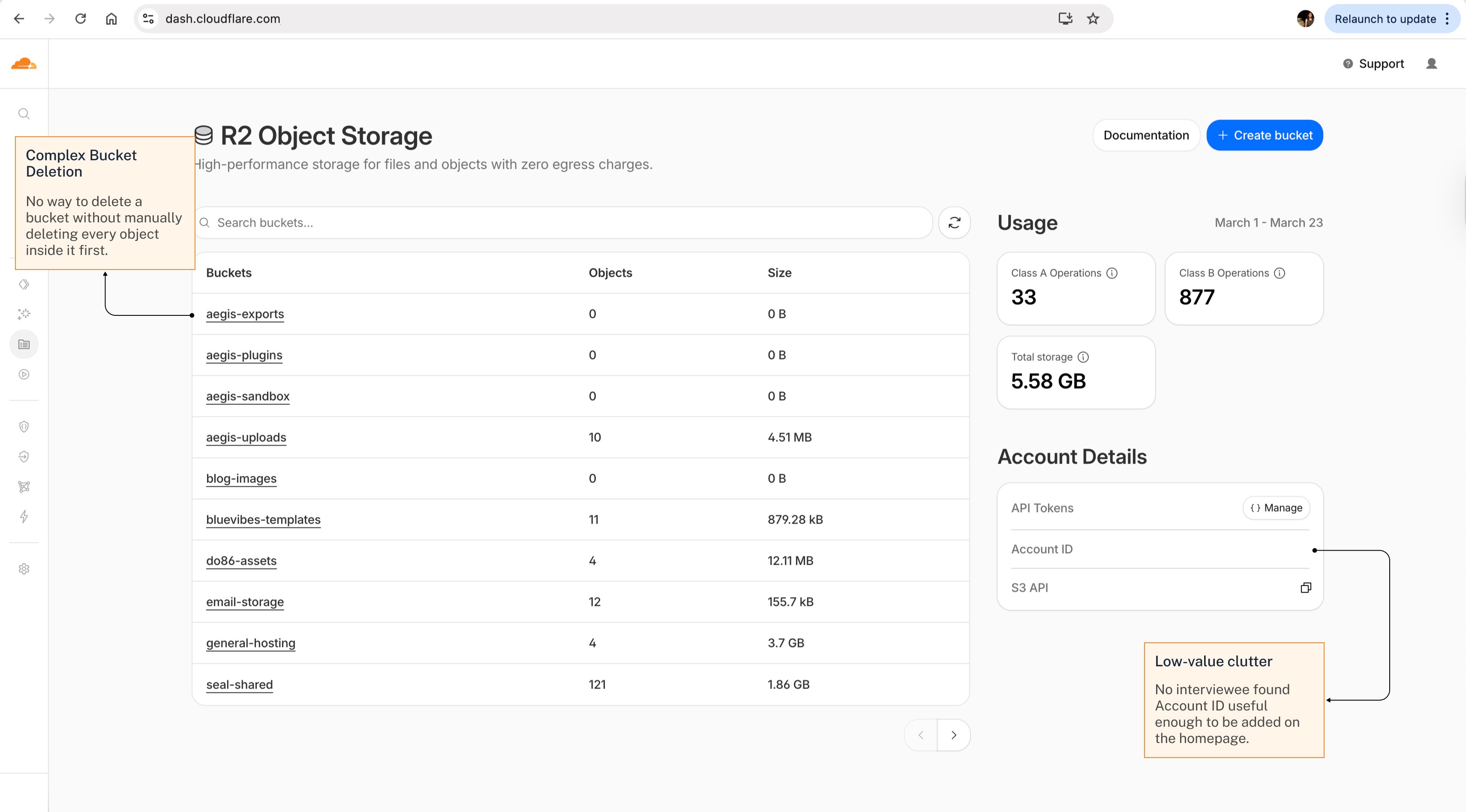
Bucket Management Pain Points - HomePage
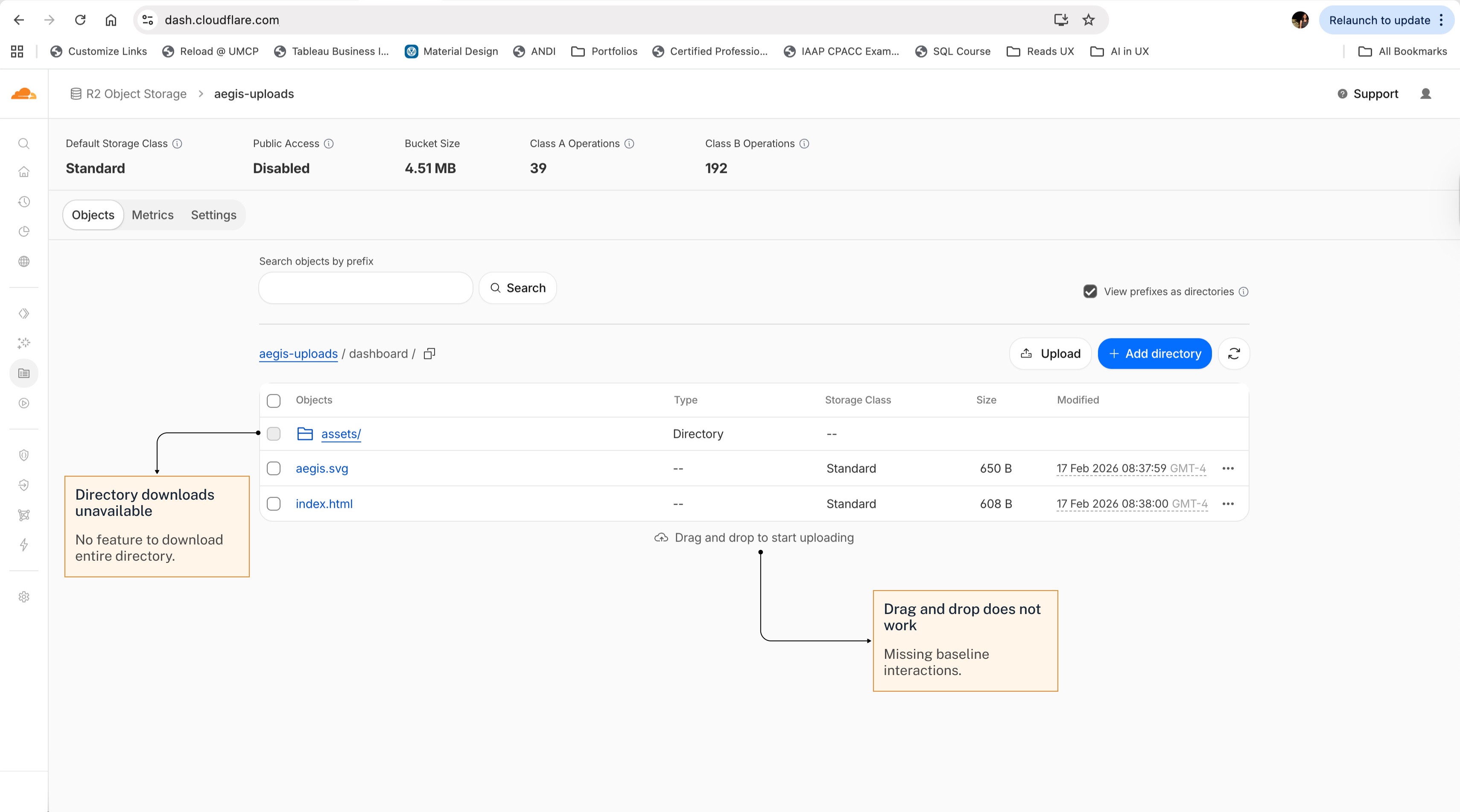
Bucket Management Pain Points - Bucket
Users return to the R2 dashboard primarily for one reason: to understand what their storage is doing and what it's costing them. The current analytics experience fails on both counts.
"Class A and Class B Operations" is internal Cloudflare terminology that even engineers don't understand. The vocabulary creates a translation burden every time a developer checks their dashboard.
Data is presented as static numbers. There are no trends or time-series charts for R2 as a whole. Developers don't want a snapshot; they want a trajectory.
Deeper analytics exist per bucket, but not for R2 as a whole. An administrator managing multiple buckets has no single view to understand overall storage health, compare bucket activity, or identify which buckets are driving the most usage.
Design Goals
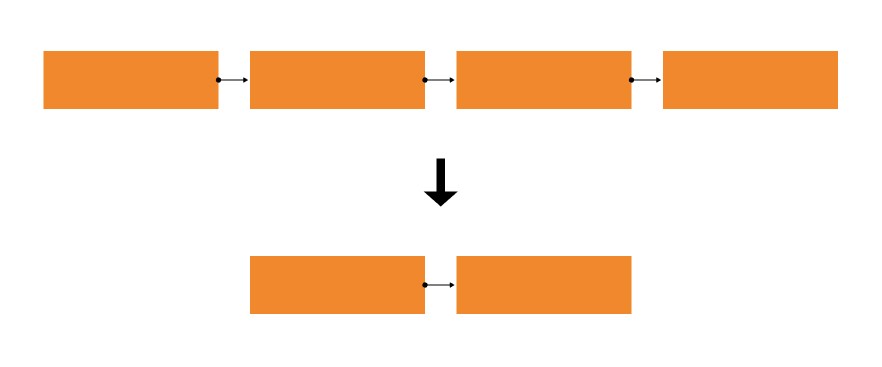
Reduce internal configuration steps
Reduce internal configuration steps, currently scattered across three separate dashboard sections.
Make S3 credentials and per-bucket token creation easy to find
Surface the right links and labels.

Fix foundational interactions
These include bucket deletion, folder downloads, visible URIs, and removing low-value clutter.
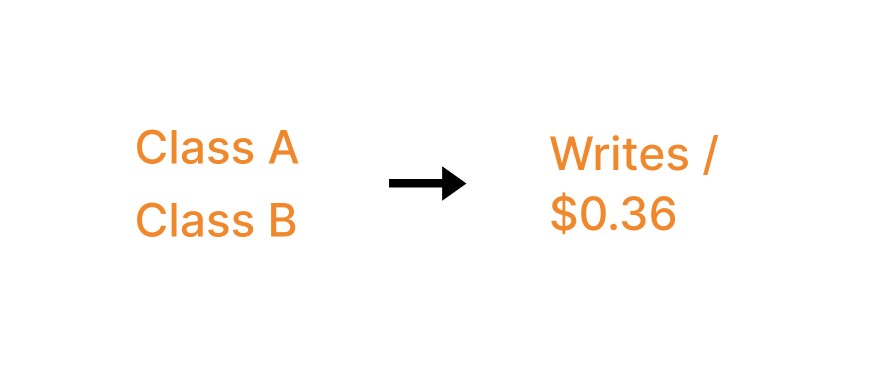
Replace opaque terminology with plain language
Replace "Class A and Class B operations" with simpler language that users can easily comprehend.
Surface analytics with time-series trends in a detailed analytics view
A separate detailed analytics view can support both developer debugging and administrative reporting.
Show which compute services depend on each bucket
No competitor solves this, and Cloudflare's unified platform makes it uniquely positioned to be the first.
IDEATE
—
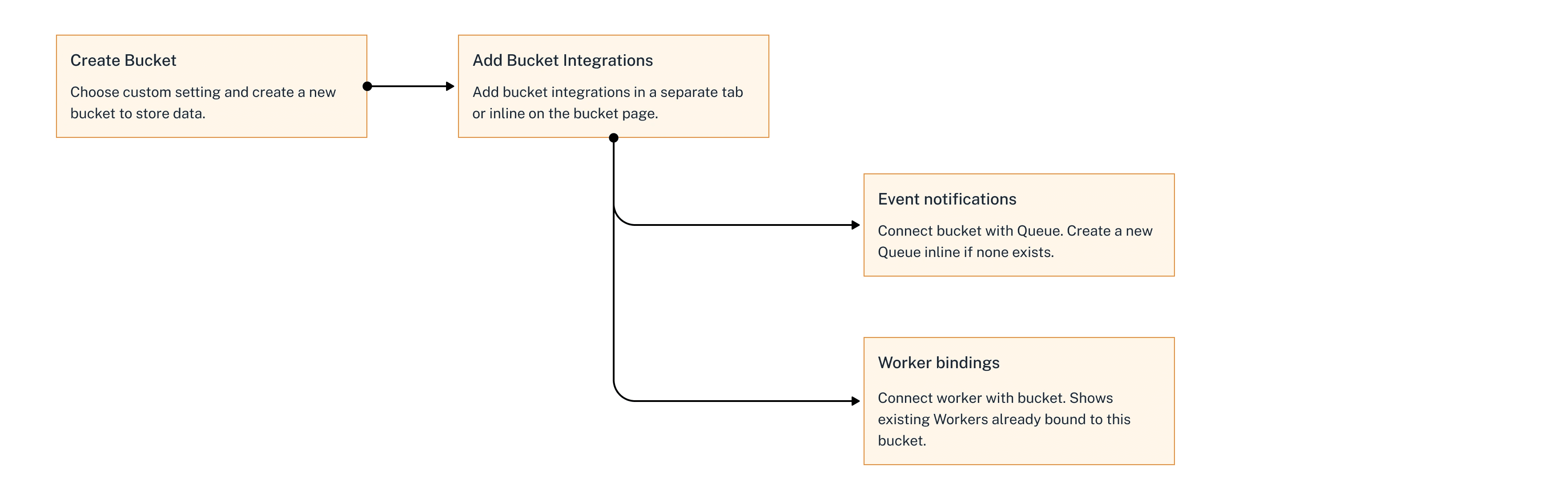
The current internal configuration flow requires four steps across three dashboard sections to set up a single event pipeline. Looking at how Cloudflare already handles this on the Workers side, I asked myself, why doesn’t the bucket have the same? The proposed flow condenses four steps into two. This raised three decisions I needed to work through:
Should bucket integrations be a separate tab or inline on the bucket page? One developer noted that integrations aren't something you check daily. So, I opted for a dedicated tab to keep connections accessible without cluttering the primary workspace.
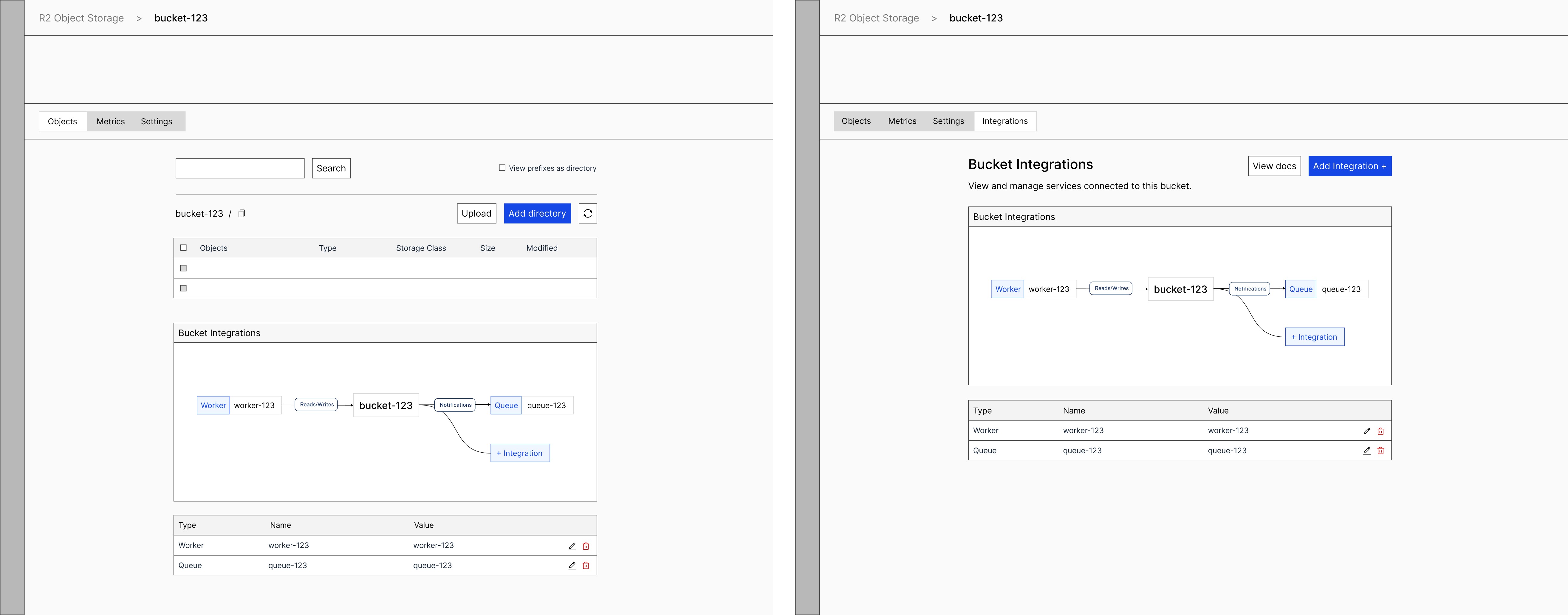
Separate tab vs. inline on the bucket page
Should Queue connections and Worker bindings be shown in separate views or together? I chose together. They represent different directions of the same relationship with the bucket, and separating them would force developers to check two places to understand a bucket's full dependency.
Finally, how to visualize the connections? A node-based diagram with directional labels, i.e., "Reads/Writes" for Workers and "Notifications" for Queues, communicates both the existence and the nature of each connection at a glance.


My first instinct was to bring per-bucket token creation directly into the bucket homepage. But that conflicts with a real technical constraint. Administrators need centralized token management on the homepage to oversee all credentials in one place. Instead, I focused on three targeted changes:
Surfacing the S3 API endpoint directly on the bucket page rather than inside settings.
Adding a shortcut link to the token creation flow on that same bucket page, with the per-bucket option highlighted.
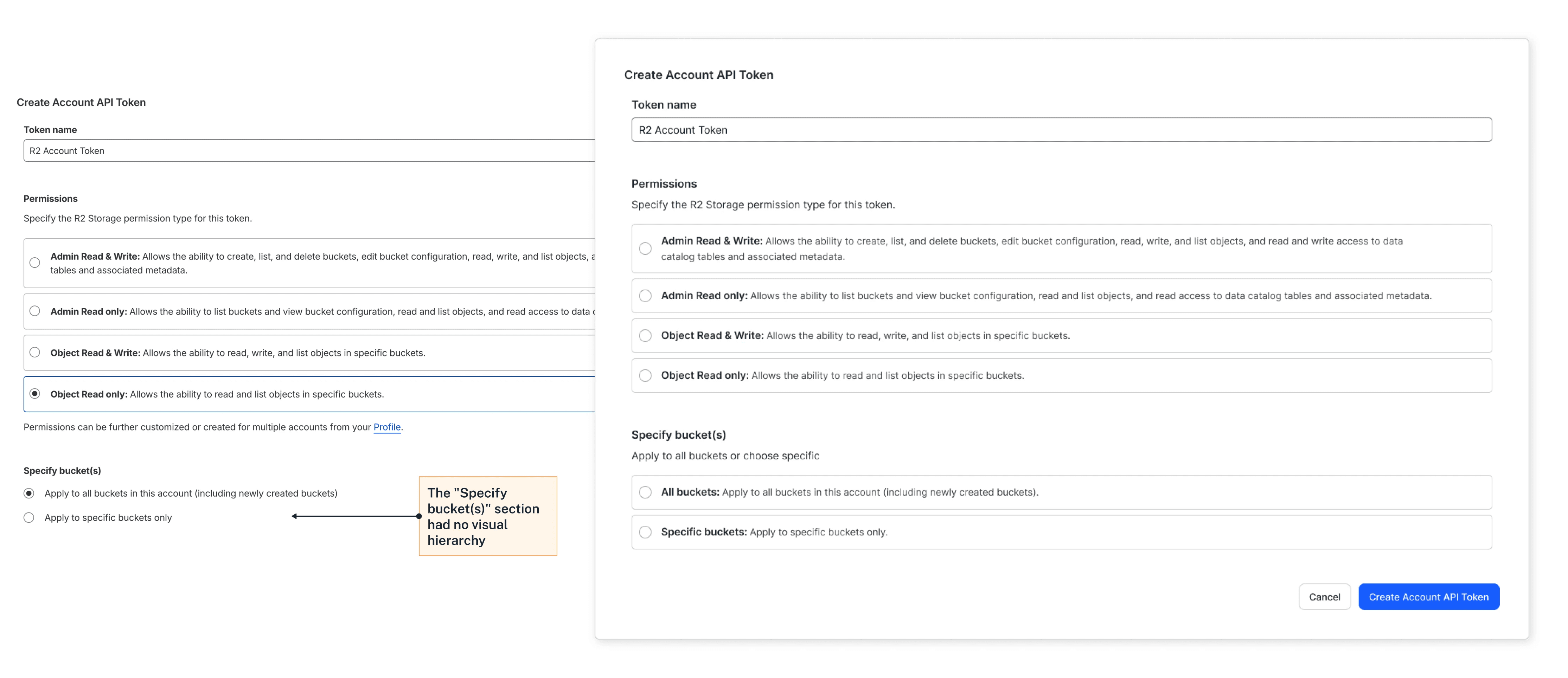
Make per-bucket token creation easy to find. The per-bucket token option already existed, but the UI presented it as plain-text radio buttons. The change was simple: replacing flat radio buttons with cards and bold labels.
Management required fixing what should have been there from the start. The changes were direct responses to interview data, such as one-click bucket deletion replacing the manual empty-then-delete flow. I also added a Requests column with inline sparklines, turning a static table into one that immediately answers which buckets are active.
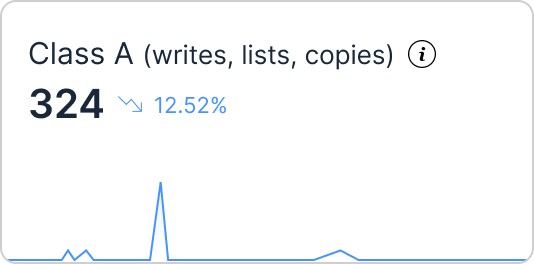
Add parenthetical translations to "Class A/B Operations."
My first instinct was to replace "Class A/B" with "Reads/Writes" entirely. But Class A includes writes, lists, and copies, not just writes. Instead, I kept the billing terms and added parenthetical translations.
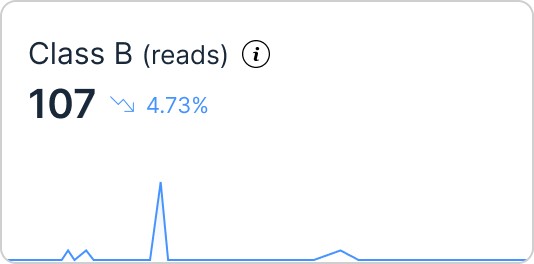
Replace static numbers with time-series charts in a separate detailed analytics view
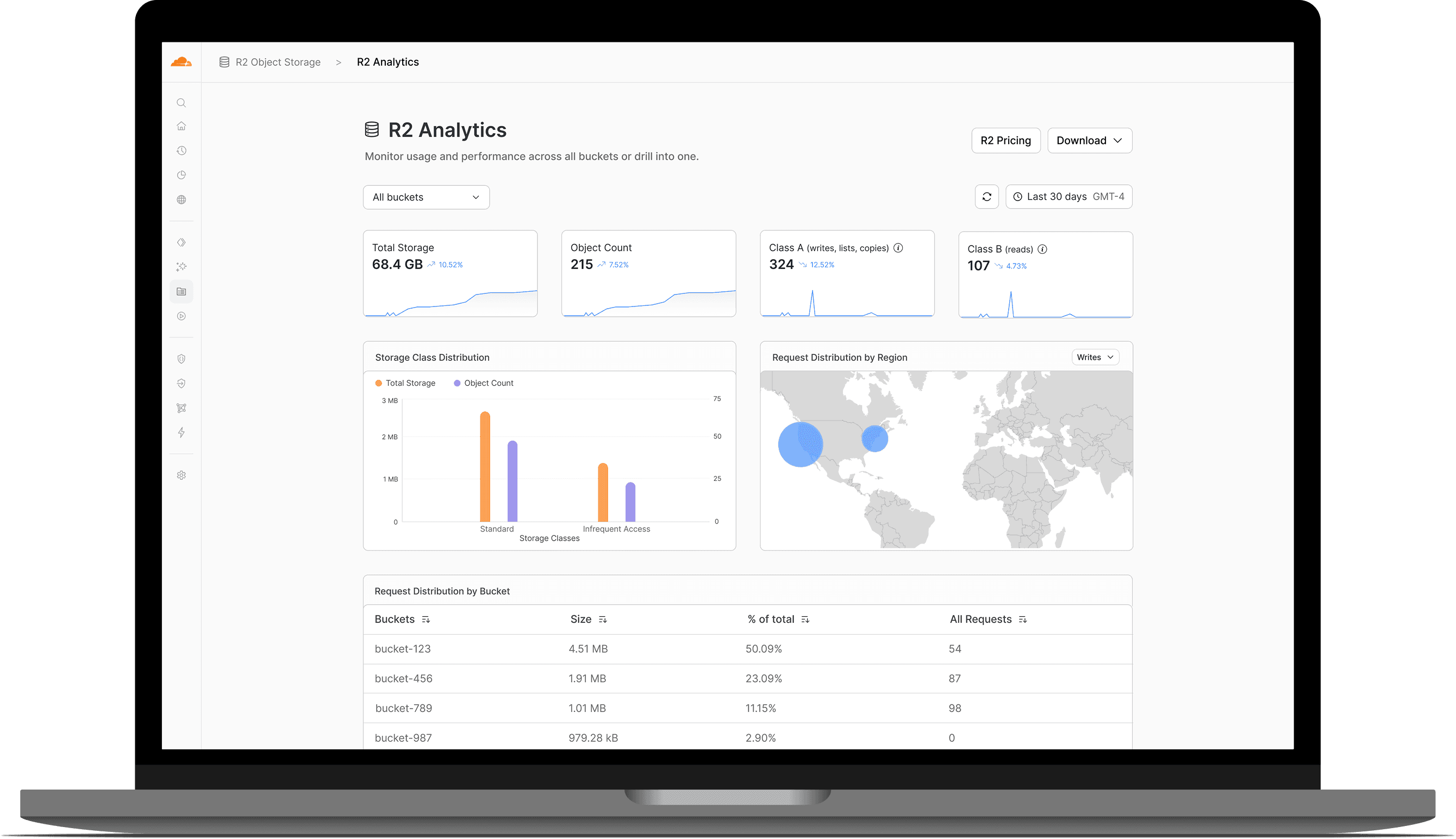
Currently, there is no account-level view at all. Administrators had to check each bucket individually. I designed a detailed account-level analytics view and added a dropdown to toggle between all buckets and individual ones.
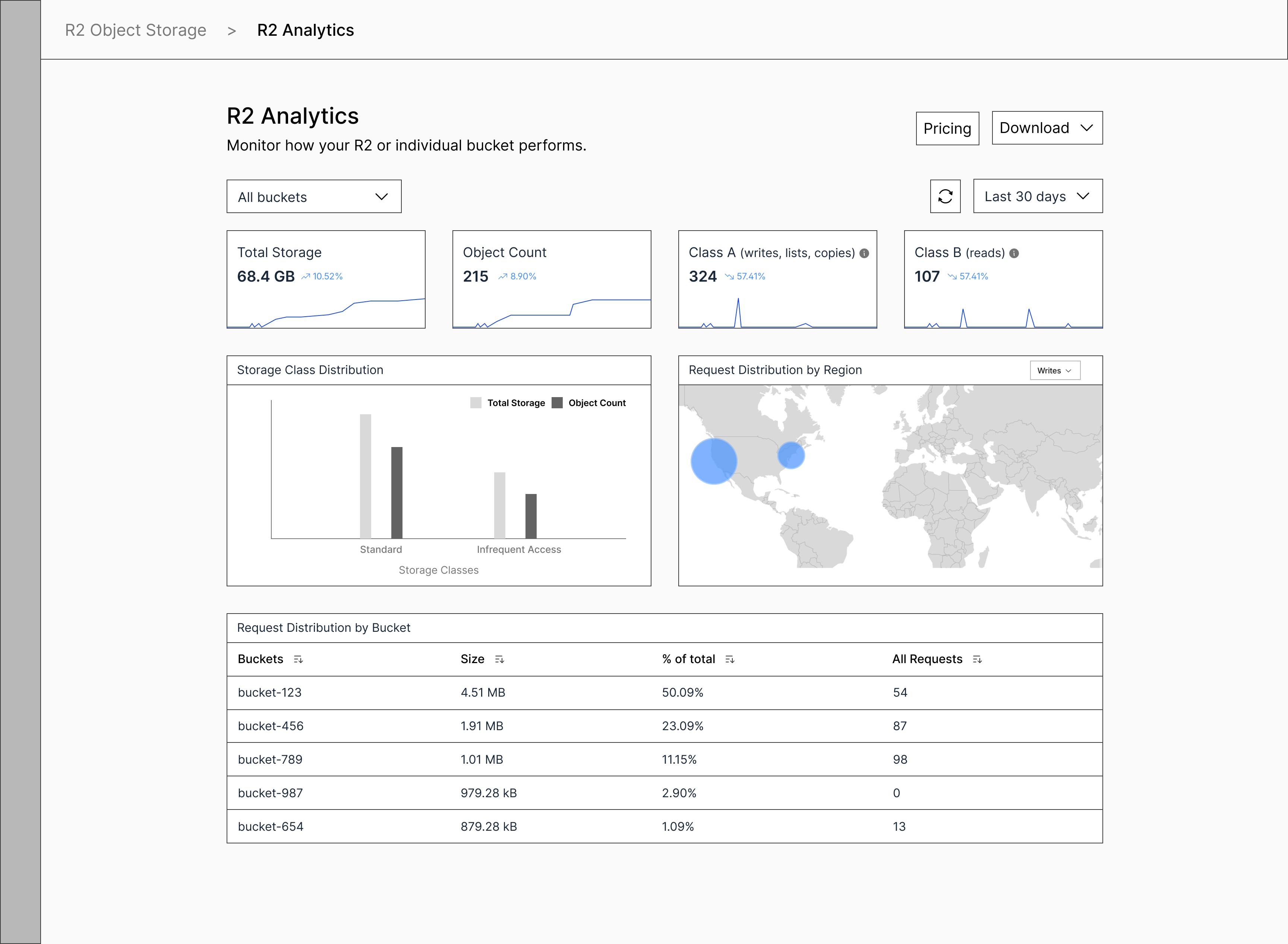
Detailed Analytics View Wireframe
PROTOTYPE
—
[WORKFLOW 1]
Internal Configuration
A new Integrations tab surfaces connected Workers, Queues, and other compute services with directional labels, a first across any storage dashboard. There is also an option to create a new queue inline if none exists.

[WORKFLOW 2]
External Configuration
S3 endpoint and token links persist across all bucket tabs, eliminating the current scattered navigation that splits one task across three pages. The redesign also makes per-bucket token creation easily accessible.

[WORKFLOW 3]
Management
One-click bucket deletion replaces the current flow of manually emptying every object first. Sparklines per bucket show activity trends at a glance.

[WORKFLOW 4]
Monitoring
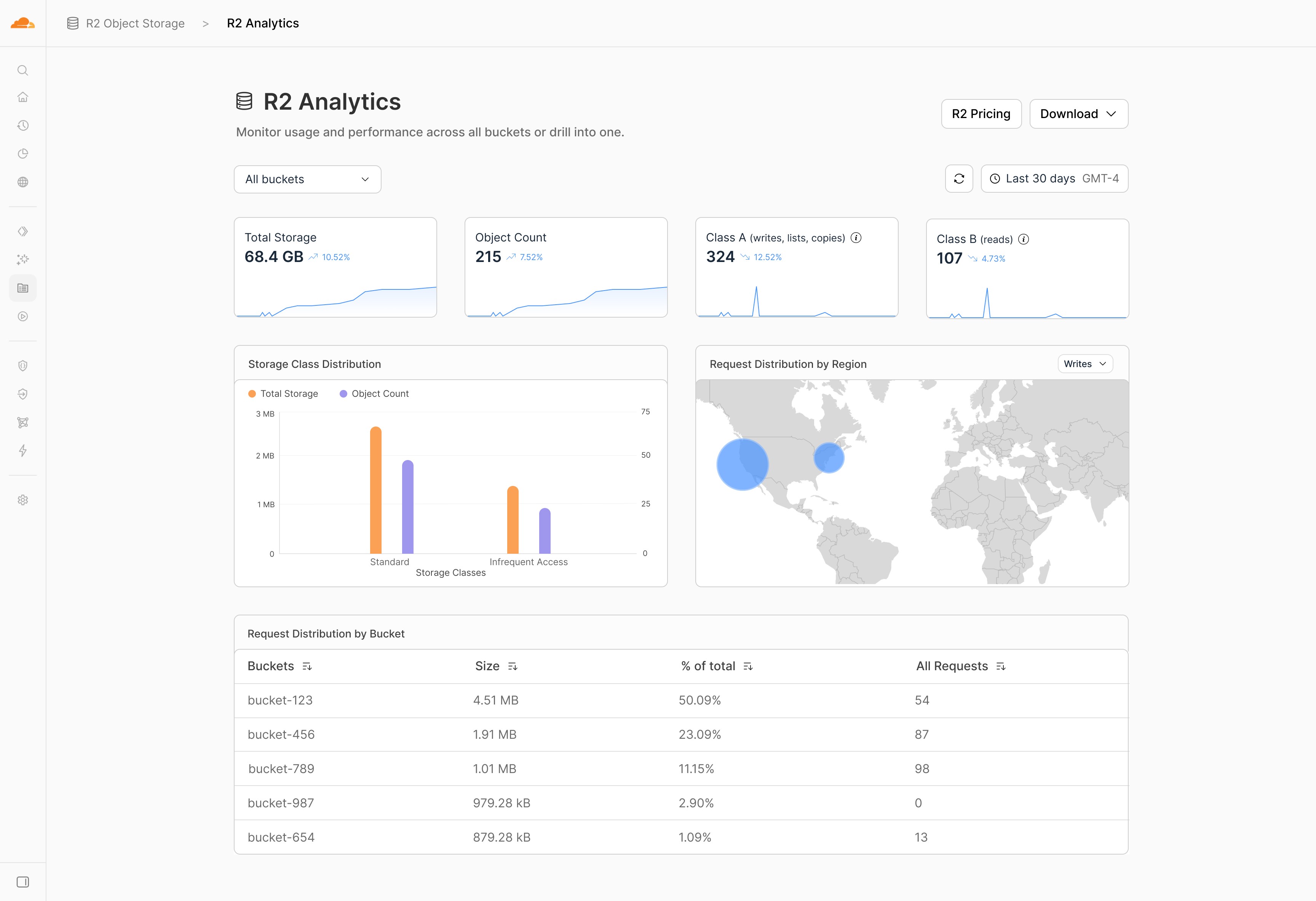
R2 currently offers no account-wide analytics. This redesign introduces time-series charts, translates Class A/B into plain language, adds storage class distribution and request breakdown by bucket, and links directly to R2 pricing.
REFLECTION
—
Impact
4
critical user flows redesigned
44 K
users impacted (Cloudflare Q2 2023 Earnings Call)
Reflection